 +44 7933 142807
 info@assignmentmaster.org.uk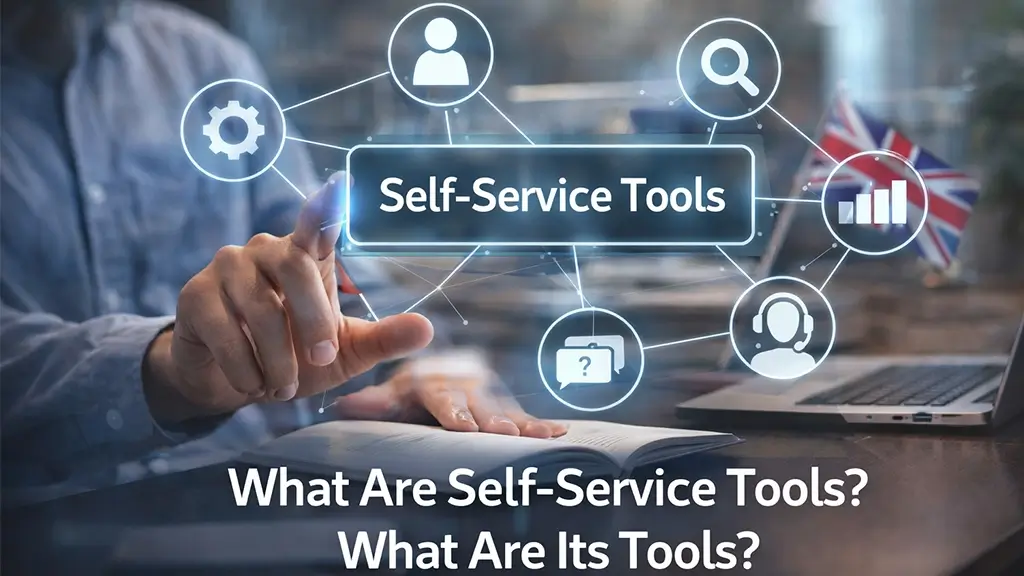
 By
By Organisations are generating more data than ever before in today’s data-driven world. Data is literally everywhere, from customer interactions to sales performances and employee metrics.
Moreover, the real challenge is how to explore and make sense of the data effectively without technical skills and without relying on IT or data experts.
This is exactly where self-service analytics tools come in. Self-service analytics tools are changing how businesses examine data by encouraging non-technical users to do this task on their own.
Regardless of the field you belong to, such as HR, marketing, finance or operations, self-service analytics provides you with the ability to handle data on your own and then make informed choices leading to improved business outcomes.
If you want to know about self-service analytics tools in detail, then this blog will be helpful to you.
What are Self-Service Analytics Tools?
Self-service analytics is a business intelligence technology that enables and encourages all users to access, analyse and evaluate data without depending on IT or data science experts
In easy words, these tools help you answer your own questions without waiting for someone else.
Moreover, these tools are different from traditional data systems as they have user-friendly interfaces that enable users to create reports, dashboards, and uncover insights without requiring any technical expertise.
As a result, users can make data-driven decisions leading to accurate predictions, streamlining workflows, and overall increased efficiency in the organisation.
Why are Self-Service Analytics Important?
Self-service analytics is not about providing access to data but about considering the data as a valuable asset. This has many benefits and advantages for the business organisations.
Faster and better decision-making
When users can easily access reliable and real data that is easy to understand, teams can make more informed decisions for effective outcomes. Moreover, business users will respond faster to the trends and changes and stay ahead. Self-service analytics tools transform data into the most valuable asset.
You can also get along with the best assignment Help UK, and they will assist you in your work and also your studies. They have a team in many departments, from writing to editing, and they will surely guide you.
Increases efficiency
Users can quickly access the data and create their own reports, dashboards, and answer their own questions without waiting for someone else. It frees up time and allows users to focus on high-level tasks.
Enhanced collaboration
When the team members utilise the same data, it leads to better collaboration and communication. Moreover, it involves having a cohesive approach to problem-solving.
More accuracy
Self-service analytics users work with reliable and recent data. It reduces the chances of errors that could result from manual data entry. Overall, it leads to accurate and reliable decision-making.
Customisation
Self-service analytics also helps users to craft reports and dashboards that are based on their information needs.
What are some popular Self-service Analytics Tools?
Microsoft Power BI
It is one of the most popular self-service analytics tools around the world. Moreover, it is commonly used in organisations that use Microsoft products. It helps non-technical users to prepare data and visualise it well.
Main features:
- Drag and drop interface
- Custom visual library
- Interactive dashboards
- Change analysis and data modelling
- Data connectors
- Report sharing
- Microsoft Copilot (AI feature)
Moreover, this tool is famous for transforming complex data sets into interactive dashboards.
Real-world use: A company might use this Power BI tool to track daily sales across multiple locations, and managers can see which stores are performing well and which require improvement.
Tableau
It is a top and widely recognised self-service analytics tool because it has advanced data visualisation capabilities. It turns any complex data into a simplified form and prepares it for visualisation. As a result, users can create interactive dashboards, model their data, predict outcomes, and conduct trend analysis.
Main features:
- Interactive dashboards.
- Advanced visual storytelling.
- Drag and drop analytics
- Strong system for data source integration
- Real-time monitoring
- App-level security
- Available on desktop and mobile devices
This tool is useful for users who want to present their insights clearly to the stakeholders.
Thoughtspot
It is one of the most powerful self-service analytics tools in the market. Its AI-powered analytics allows you to ask questions in natural language and quickly receive insights.
Main features:
- GenAI-powered self-serve analytics
- Automated insights at any place and anytime
- Use of plain English
Qlik
Qlik is another self-service analytics tool that is famous for its unique associative data model. Moreover, it allows users to understand and explore the data freely. It can visualise large data sets for making informed decisions.
Main features:
- Chat interface with AI features
- Associative data modelling
- Real-time monitoring
- Connectivity with cloud data sources
- Low-code interface
- Flexible deployment options
- Predictive analytics
Moreover, Qlik allows users to explore all possible relationships in the data
Looker
It is also a self-service analytics tool and is best for companies that need consistent metrics and governed data modelling via LookML.
Main features:
- Best features of Looker
- Real-time insights
- Collaboration tools
- LookML and modelling
Domo
It is another self-service analytics tool that allows and enables non-technical users to analyse and visualise large data sets. It mainly offers AI-driven, interactive capabilities. Moreover, with the help of this tool, users get quick answers to their complex questions and monitor insights.
Main features:
- Interactive visualisations
- Pre-built data connectors
- Predictive analytics capabilities like ‘what-if scenarios’ and forecasting.
- Data modeling
- Available on desktop and mobile devices.
How do Self-Service Analytics Tools work?
- Data access and data collection: self-service tools connect with various data sources such as databases, cloud storage, and business applications, and users have access to the data they need. It involves the smooth data flows from different platforms.
- Data preparation: once the users have access to the data, they can clean and organise the data by removing duplicates, filtering irrelevant data and structuring data sets. Moreover, some tools also automate this process.
- Data analysis: the next step is the data analysis, and users can explore the data by filtering, aggregation, and comparison and come up with meaningful insights. Moreover, some platforms also have built-in features for trend analysis and predictions.
- Data visualisation: the next step is the creation of customised visuals, charts, graphs or dashboards. This step involves simplifying the complex data so that it is easy to understand and actionable.
- Sharing insights: the next step is when users share reports with team members or stakeholders that leads to transparency and collaboration.
What are the key features of a self-service analytics tool?
- User-friendly interface: these are designed for technical and non-technical users. Moreover, this interface allows users to interact with data without any training. They have drag and drop dashboards, simple menus and visual data exploration. As a result, users can create dashboards and reports quickly, and the process is streamlined.
- Data visualisation: one of the most powerful features is the ability to transform the raw data into visual insights. Such as charts, graphs, dashboards, etc., as a result, users can easily understand the trends and patterns.
- Real-time data: Users can access real-time and updated data and generate insights, which is crucial for timely decision-making. It also leads to the saving of time as users won’t have to go through internal processes or outdated reports.
- Automation and AI insights: Some self-service analytics tools also provide automated reports, predictive analytics, and smart recommendations. It saves the time that was previously spent manually analysing the large data sets.
All in All!
If you want success in your business, then utilising these self-service analytics tools is a must. It has changed how businesses interact with data. Moreover, it has helped users to make informed decisions. In today’s world, data is a valuable asset; therefore, you must be able to explore, make sense and create actionable insights from it.
FAQs
- What are self-service tools?
Ans. Self-service tools are digital resources that enable and allow users to solve problems independently and complete tasks without the assistance of someone else.
- What is an example of a self-service tool?
Ans.Microsoft Power BI.
- What are the types of self-service?
Ans. These are the types of self-service analytics: Descriptive Analytics, Diagnostic Analytics, Predictive Analytics, and Prescriptive Analytics.
- What are self-service analytics tools?
Ans. Self-service analytics tools are business intelligence (BI) platforms that enable and encourage all users to access, analyse and evaluate data without depending on IT or data science experts. They lead to better decision-making and efficiency.
- What are the top 5 CRM tools?
Ans. The top 5 CRM tools are Salesforce, HubSpot, Pipedrive, soho CRM, and Freshsales.
- What are the 7 types of kiosks?
Ans. These are the 7 types of kiosks: information, Wayfinding, Ticketing, Check-in/Check-out, Payment, Photo, and Restaurant Self-Service
- What are the 10 analytics tools?
Ans. These are 10 analytics tools: Microsoft Excel, SQL, Python, R, Tableau, Power BI, SAS, Apache Spark, KNIME, and Snowflake


 Live Chat
Support
Live Chat
Support +44 7933 142807
 info@assignmentmaster.org.uk